Scrabble tiles spelling out the words "Website Design"

5 Website Design Trends for Small Businesses in 2026

Website design continues to evolve rapidly, and in 2026, small businesses can no longer afford to treat their website as a simple online brochure. Those days are over.

Customers expect fast, modern, mobile-friendly experiences that feel professional and easy to use. At the same time, Google continues rewarding websites that prioritise user experience, performance, and helpful content.

For businesses investing in website design, wherever you are, staying current with design trends can improve:

  • User engagement
  • SEO performance
  • Customer trust
  • Lead generation

Here are the top website design trends for small businesses in 2026 and why they matter.

1. Mobile-First Website Design Is Now Essential

Mobile traffic continues to dominate online browsing. In many industries, more than half of all website visits now come from smartphones.

That means your business website must be designed for mobile users first, not desktop users second.

A mobile-first website should:

  • Load quickly
  • Be easy to navigate
  • Have clear buttons and menus
  • Display cleanly on all screen sizes

Google also prioritises mobile-friendly websites in search rankings, making this critical for SEO and website design in Perth and beyond.

Why It Matters

A poor mobile experience leads to:

  • Higher bounce rates (people clicking out of your website)
  • Lower conversions
  • Reduced search visibility

Businesses using WordPress website design can easily implement responsive layouts that adapt seamlessly across devices.

2. Simpler, Cleaner Layouts Are Winning

Modern website design is moving away from cluttered pages and excessive content.

In 2026, users expect:

  • Clean layouts
  • More white space
  • Easy-to-read content
  • Clear navigation

Simple design improves usability and helps users focus on what matters most.

For small businesses, this means:

  • Clear messaging
  • Strong calls-to-action
  • Less distraction
  • Faster decision-making

A clean website also feels more trustworthy and professional.

If in doubt, draw it out. Sketches help immensely with visualisation.

3. AI-Powered Features Are Becoming More Common

Artificial intelligence is becoming a bigger part of modern business website design.

Some common AI-driven features include:

  • Chatbots for customer support
  • Personalised content recommendations
  • Smart search functionality
  • Automated booking systems

For small businesses in Western Australia, AI tools can improve customer experience while saving time and resources.

However, balance is important. Too much automation can feel impersonal. The best websites combine AI efficiency with genuine human communication.

4. Faster Website Speed Is a Major Priority

Website speed is now one of the most important ranking and usability factors online.

Users expect pages to load almost instantly. If your website is slow, visitors are likely to leave before engaging with your content. Everyone can relate to how frustrating it is when a website loads slow.

Factors affecting website speed include:

  • Hosting quality
  • Image optimisation
  • Website structure
  • Excessive plugins or scripts

This is particularly important for WordPress websites, where poor optimisation can impact performance.

Why Speed Matters for SEO

Fast websites:

  • Improve user experience
  • Reduce bounce rates
  • Increase conversions
  • Help rankings in Google

For businesses focused on good website design and implementation, speed optimisation should be part of every website strategy.

5. Trust-Focused Design Is More Important Than Ever

Consumers are becoming more selective about who they trust online.

Modern website design trends now focus heavily on credibility and transparency.

This includes:

  • Clear contact information
  • Testimonials and reviews
  • Professional branding
  • Real imagery and authentic content
  • Secure HTTPS websites

A trustworthy website encourages users to take action and improves conversion rates.

For small businesses, building trust through design can be one of the biggest competitive advantages.

Bonus Trend: SEO-Driven Website Design

In 2026, great design and SEO work together.

A visually impressive website means little if nobody can find it.

Modern WordPress website design should include:

  • SEO-friendly page structure
  • Fast loading times
  • Mobile optimisation
  • Keyword-focused content
  • Internal linking strategies

Businesses investing in website design should ensure SEO is built into the website from the start, not added later.

Why WordPress Remains a Leading Choice for Small Business

For many businesses, WordPress continues to be one of the best website platforms available.

It offers:

  • Flexibility
  • SEO capabilities
  • Scalability
  • Easy content management
  • Access to modern design tools

WordPress makes it easier for businesses to adapt to changing website trends without rebuilding their entire website.

Final Thoughts

Website design trends are constantly changing, but the core goal remains the same: creating a better experience for users.

In 2026, successful small business websites will focus on:

  • Mobile-first design
  • Simplicity and usability
  • Speed and performance
  • Trust and credibility
  • SEO optimisation

Businesses that invest in modern, strategic website design will be in a stronger position to attract traffic, generate leads, and grow online.

If you’re looking to upgrade your WordPress business website or improve your online presence in Perth, Western Australia and/or beyond, we at CJI Tech Solutions can help you build a website designed for long-term success.

👉 Contact us to learn more. We’re only too happy to chat.

Checklist written on a clipboard showing list items to consider when planning a website, next to a laptop computer

Choosing a Domain Name & Hosting: A Small Business Guide

When building a business website, choosing the right domain name and hosting provider is one of the most important early decisions you’ll make.

It might seem like a technical detail, but your domain and hosting directly affect:

  • Your brand credibility
  • Website performance
  • SEO rankings
  • Security
  • User experience

If you’re a small business in Perth, Western Australia (or beyond) investing in website design, getting these foundations right can save time, money, and frustration later on.

Here’s what every small business should know before choosing a domain name and website hosting.

What Is a Domain Name?

Your domain name is your website address. It’s what people type into their browser to find your business online.

For example:
yourbusiness.com.au

A good domain name should be:

  • Easy to remember
  • Easy to spell
  • Relevant to your business
  • Professional

Your domain becomes part of your brand identity, so it’s worth taking the time to choose carefully.

Why Your Domain Name Matters

Your domain name impacts both branding and SEO.

A strong domain:

  • Builds trust with potential customers
  • Makes your business easier to find
  • Supports brand recognition
  • Improves credibility online

For local businesses in Perth, Western Australia and beyond, using a .com.au domain can also help reinforce your Australian presence and build confidence with local customers.

Tips for Choosing the Right Domain Name

  1. Keep It Short and Simple

Shorter domain names are easier to:

  • Remember
  • Type
  • Share verbally

Avoid:

  • Long phrases
  • Complicated spelling
  • Hyphens or unnecessary numbers

We can’t emphasise that last point enough. Not enough people know what a hyphen is, so it creates potential confusion for your clients and customers. Simple is almost always better.

  1. Make It Relevant to Your Business

Your domain should clearly connect to your brand, services, or business name.

If possible, include keywords related to your industry or services, such as:

  • website design
  • digital marketing
  • electrical services
  • construction

But avoid forcing keywords unnaturally. Branding still matters.

  1. Choose the Right Extension

For most Australian businesses, the best option is:

.com.au

Other common extensions include:

  • .com
  • .net.au
  • .org.au

For businesses targeting customers in Western Australia, a .com.au domain generally provides the best balance of trust and professionalism.

  1. Think Long-Term

Choose a domain name that can grow with your business.

Avoid overly narrow names that could limit you later.

Example:

  • Good: perthwebsolutions.com.au
  • Limiting: cheapbasicwebsitesperth.com.au

Think about where your business may be in 5 years, not just today.

What Is Website Hosting?

Website hosting is the service that stores your website files and makes your website accessible online.

Think of it like renting space on the internet.

Your hosting provider affects:

  • Website speed
  • Security
  • Reliability
  • Uptime
  • Overall performance

Even the best WordPress website design can struggle if the hosting is poor.

Confused about what “web hosting” is? You’re not alone.

Why Hosting Matters for SEO and User Experience

As you can see in this excellent article by Google, it prioritises websites that:

  • Load quickly
  • Perform reliably
  • Provide a strong user experience

Cheap or unreliable hosting can lead to:

  • Slow load times
  • Website downtime
  • Security vulnerabilities
  • Poor SEO performance

For businesses investing in website design in Perth, quality hosting is not an area to cut corners.

Types of Website Hosting?

Shared Hosting

Best for:

  • Small websites
  • Startups
  • Lower traffic sites

Pros:

  • Affordable
  • Easy to set up

Cons:

  • Slower performance during traffic spikes
  • Shared resources with other websites

VPS Hosting (Virtual Private Server)

Best for:

  • Growing businesses
  • Medium traffic websites

Pros:

  • Better performance
  • More control
  • Improved reliability

Cons:

  • Higher cost than shared hosting

Dedicated Hosting

Best for:

  • Large businesses
  • High traffic websites
  • Complex systems

Pros:

  • Maximum performance
  • Full server control

Cons:

  • Expensive
  • More technical management required

Managed WordPress Hosting

For many businesses using WordPress, this is often the ideal option.

Managed hosting includes:

  • Automatic updates
  • Security management
  • Backups
  • Performance optimisation

This allows business owners to focus on running their business rather than managing technical issues.

What to Look for in a Hosting Provider

Not all hosting providers are equal.

Look for:

  • Fast server performance
  • Strong security features
  • Australian-based support if possible
  • Reliable uptime
  • Daily backups
  • Scalability options

Good hosting is an investment in your website’s long-term performance.

Domain and Hosting Mistakes to Avoid

  • Choosing Based on Price Alone: Cheap hosting often creates expensive problems later.
  • Registering Domains Under a Third Party: Always ensure your business owns and controls its domain name directly.
  • Ignoring Security: Security certificates (SSL), backups, and malware protection are essential.
  • Not Planning for Growth: Choose hosting that can scale as your website traffic increases.

Why WordPress Is a Strong Choice for Small Business

For many businesses in Perth, Western Australia, WordPress remains one of the best website platforms available.

It offers:

  • Flexibility
  • SEO capabilities
  • Scalability
  • Easy content management

Combined with quality hosting and a strong domain name, WordPress provides an excellent foundation for long-term business growth.

Final Thoughts

Your domain name and hosting are the foundations of your online presence.

Choosing the right setup helps ensure your website:

  • Performs well
  • Builds trust
  • Ranks better in search engines
  • Delivers a better user experience

If you’re planning a new business website or upgrading your current one, investing in the right domain and hosting setup from the beginning can make a major difference.

At CJI Tech Solutions, we help businesses across Perth and Western Australia build reliable, high-performing WordPress websites designed for growth.

👉 Contact us to have a chat about your website needs

Whiteboard with post-it notes on the board. One reads "Book a usability test"

Creating the Best User Journey on Your Website

When it comes to website design in Perth, Western Australia, wherever… most businesses focus on how their site looks.

But design alone doesn’t drive results.

What really matters is the user journey. How people move through your website, what they see, and how easily they can take action. Get this right, and your website becomes a powerful tool for generating leads. Get it wrong, and visitors leave without engaging.

Put simply. USABILITY MATTERS! A lot!

(Here’s a great article on the importance of UX in website design – and how Taylor Swift’s team got it SO very wrong – well worth a read)

If you’re building a WordPress business website, here’s how to create a user journey that actually works.

What Is a User Journey?

A user journey is the path a visitor takes from the moment they land on your website to the point where they take action.

That action could be:

  • Filling out a contact form
  • Booking a service
  • Making a purchase
  • Calling your business

A well-planned journey removes friction and guides users naturally toward that goal.

Start With a Clear Goal

Every effective user journey starts with clarity.

Ask yourself:

  • What is the main action I want users to take?
  • What pages support that action?
  • What information do users need before they commit?

For most small business websites in Perth, the primary goal is lead generation. That means your entire site should guide users toward contacting you.

Understand Your Audience

You can’t create a strong user journey without understanding who you’re designing for.

Consider:

  • What problems your customers are trying to solve
  • What questions they have
  • What might stop them from taking action

A good website design for business speaks directly to user needs and removes uncertainty at every step.

Structure Your Website for Flow

Your website should feel intuitive. Visitors shouldn’t have to think about where to go next.

A strong structure typically looks like this:

Home → Services → Proof → Contact

Each step builds confidence:

  • Home introduces your business
  • Services explain what you offer
  • Proof (testimonials, case studies) builds trust
  • Contact makes it easy to take action

This structure works well for WordPress websites and is highly effective for local businesses in Western Australia.

Make Navigation Simple

Confusing navigation is one of the fastest ways to lose a visitor.

Your menu should:

  • Be clear and easy to understand
  • Include only essential pages
  • Use simple language (no jargon)

If users can’t find what they need within a few seconds, they’ll leave.

Use Clear Calls-to-Action (CTAs)

Every page should guide users toward the next step.

Strong CTAs:

  • Tell users exactly what to do
  • Stand out visually
  • Appear consistently across the site

Examples:

  • Get a Quote
  • Book a Consultation
  • Contact Us

Without clear CTAs, even interested visitors won’t convert.

Optimise for Mobile Users

A huge portion of traffic comes from mobile devices. If your site doesn’t work well on mobile, your user journey breaks immediately.

A mobile-friendly business website should:

  • Load quickly
  • Be easy to scroll
  • Have large, tappable buttons
  • Keep content concise

This is especially important for website design, where local searches often happen on the go. We’ve recently published a great article about optimisation on mobiles here. Make sure to check it out.

Build Trust Along the Journey

Users won’t take action unless they trust you.

Incorporate trust signals throughout your site:

  • Testimonials
  • Reviews
  • Case studies
  • Clear contact details
  • Professional design

Trust should be reinforced at every stage of the journey.

The dreaded "404" page error. Not ideal!

Reduce Friction

Every extra step or confusion point reduces conversions.

To improve your user journey:

  • Keep forms short and simple
  • Avoid unnecessary pages
  • Make information easy to find
  • Ensure fast load times

The smoother the experience, the more likely users are to convert.

Use WordPress to Optimise the Journey

WordPress is ideal for creating and refining user journeys because it allows you to:

  • Easily update content and layouts
  • Add landing pages for specific services
  • Optimise for SEO
  • Track user behaviour

This flexibility makes it a strong choice for business websites in Perth and Western Australia. It’s also independent, meaning that you have access to multiple versions of plugins and the like.

Track and Improve Over Time

Your user journey isn’t something you set and forget.

Use analytics to track:

  • Where users drop off
  • Which pages perform best
  • How people navigate your site

This allows you to refine and improve your website over time, leading to better results. Here at CJI Tech Solutions, we’re experts in Google Analytics. Feel free to contact us and have a chat if you need help working out your site’s analytics.

Final Thoughts

A well-designed website is important. But a well-planned user journey is what turns visitors into customers.

When you focus on:

  • Clear goals
  • Simple structure
  • Strong messaging
  • Trust-building elements
  • Mobile usability

You create a website that doesn’t just look good, but actually works.

If you’re looking to improve your website design in Perth or build a WordPress business website that guides users and generates leads, CJI Tech Solutions can help.

👉 Just contact us and we’ll be more than happy to have a chat

Designing a website structure for a new website build.

Choosing the Right Website Structure for Your Business

When it comes to website design, one of the most overlooked decisions is structure.

WE REPEAT: When it comes to website design, one of the most overlooked decisions is structure.

Most businesses focus on how their website looks. But structure is what determines how your website performs; for both users and search engines.

If you’re building or redesigning a WordPress business website, getting the structure right from the start can make the difference between a site that simply exists… and one that consistently generates leads.

What Is Website Structure (and Why It Matters)?

Website structure refers to how your pages are organised and connected.

A clear, logical structure helps:

  • Visitors find what they need quickly
  • Search engines understand your content
  • Improve SEO rankings
  • Increase conversions
AI generated example website tree structure

Poor structure leads to confusion, higher bounce rates (people clicking out of the site), and lost opportunities; especially for small businesses competing online (both here in Perth and across Western Australia, Australia, the world, etc).

Start With Your Business Goals

Before deciding on structure, be clear on what your website needs to achieve.

Ask yourself:

  • Are you trying to generate leads?
  • Sell products online?
  • Showcase services or projects?
  • Build brand awareness?

Your business website structure should be built around this goal.

For example:

  • Lead generation sites need clear service pages and strong calls-to-action.
  • Ecommerce sites need product categories and streamlined checkout flows

The Most Common Website Structures

  1. Simple (Brochure-Style) Structure

Best for: Small businesses, startups, local services

Typical pages:

  • Home
  • About
  • Services
  • Contact

This is the most common structure for small business website design in Perth. It’s simple, effective, and easy to manage, especially on WordPress.

  1. Service-Based Structure

Best for: Businesses offering multiple services

Each service gets its own dedicated page, allowing you to:

  • Target specific SEO keywords
  • Provide detailed information
  • Improve conversion rates

Example:

  • /web-design-perth
  • /seo-services-perth
  • /digital-marketing-perth

This structure is ideal if you want to rank in Google for location-based searches in Western Australia.

  1. Content-Driven (SEO-Focused) Structure

Best for: Businesses investing in long-term SEO

This includes:

  • Core service pages
  • Blog content
  • Supporting articles

Using WordPress, this structure allows you to create content clusters around topics like:

  • Website design
  • SEO
  • Business growth

This builds authority and drives consistent organic traffic.

  1. Ecommerce Structure

Best for: Online stores

Includes:

  • Product categories
  • Individual product pages
  • Cart and checkout pages

Structure is critical here . Poor navigation can kill conversions quickly.

Why WordPress Is Ideal for Website Structure

For most businesses, WordPress is the best platform for building and managing website structure.

It allows you to:

  • Easily add and organise pages
  • Optimise URLs for SEO
  • Create blog content to support rankings
  • Scale your site as your business grows

Most importantly, WordPress gives you flexibility, so your structure can evolve over time.

SEO Considerations for Website Structure

If your website isn’t structured properly, it won’t perform well in search engines.

Key SEO best practices include:

  • Clear, keyword-focused URLs (e.g. /website-design-perth)
  • Logical page hierarchy
  • Internal linking between related pages
  • Fast loading speeds
  • Mobile-friendly design

A well-structured website makes it easier for Google to crawl and rank your content, especially in competitive markets (like website design in Perth, for example).

Common Website Structure Mistakes

Avoid these common pitfalls:

  • Too many pages with no clear purpose
  • Poor navigation (users can’t find what they need)
  • No internal linking between pages
  • Overcomplicating the structure
  • Not planning for future growth

A good structure should feel simple to the user, even if there’s a lot happening behind the scenes.

How to Choose the Right Structure for Your Business

The best structure depends on your:

  • Industry
  • Services
  • Target audience
  • Growth plans

For most small to medium businesses in Western Australia, a service-based structure supported by blog content (“news items”, “latest news”, “case studies”, etc) is the most effective approach.

It balances:

  • SEO performance
  • User experience
  • Lead generation

Indeed. What you are reading here is an exact example of that strategy. Creating and publishing content that informs, engages and shows thought leadership. It all helps when it comes to Google.

Final Thoughts

Your website structure is the foundation of your online presence.

Get it right, and your website becomes a powerful tool for attracting traffic, building trust, and generating leads.

Get it wrong, and even the best design won’t save it.

If you’re planning a new site, or looking to improve your current one, working with a team experienced in website design here in Perth, Western Australia, can help you build a WordPress business website that’s structured for long-term success.

👉 Contact Us to learn how CJI Tech Solutions can help you plan and build a website that actually performs. We’re only too happy to have a chat and discuss it further.

Person planning a website on a wall, using the site tree method.

How to Plan a Website That Actually Generates Leads

If you’re building a website for a small business, one of the biggest mistakes you can make is focusing purely on design; without thinking about how the site will actually generate leads.

A great-looking website means nothing if it doesn’t convert visitors into enquiries… and we want that in-box humming.

The difference between a website that just exists and one that consistently brings in business comes down to planning, structure, and strategy.

Here’s how to plan a small business website that’s built to generate real results.

Start With a Clear Goal

Before anything else, define what you want your website to achieve.

Ask yourself:

  • Do you want more enquiries?
  • Phone calls?
  • Quote requests?
  • Bookings?

Your entire website should be built around a single primary goal.

Without this clarity, your messaging, layout and calls-to-action will lack direction (and your conversions will suffer).

Understand Your Target Audience

A high-converting website speaks directly to the right people.

Think about:

  • Who your ideal customer is
  • What problems they’re trying to solve
  • What information they’re looking for
  • What might stop them from contacting you

When you understand your audience, you can create messaging that connects, which is critical for website conversion optimisation.

Targeting your audience on a whiteboard is only the beginning.

Map Out a Conversion-Focused Structure

Your website structure should guide users toward taking action.

At a minimum, your small business website should include:

  • Home
  • About
  • Services
  • Contact
  • Landing pages (for specific offers or services)

Each page should have a clear purpose and lead users toward your main goal.

Think of your website like a journey. Every step should move visitors closer to becoming a lead. This is where your website’s UX is critical too (more on that in a bit).

Create Clear, Benefit-Driven Messaging

Visitors don’t care about your business as much as they care about their own problems.

Your messaging should clearly answer:

  • What do you do?
  • Who do you help?
  • What problem do you solve?
  • Why should someone choose you?

Focus on benefits, not just features. This builds trust and increases the likelihood of conversion.

Use Strong Calls-to-Action (CTAs)

A lead-generating website makes it obvious what to do next.

Effective CTAs:

  • Are clear and direct (“Get a Quote”, “Book a Call”)
  • Stand out visually
  • Appear throughout the site (not just on one page)

Without strong CTAs, even interested visitors won’t take action.

Design for User Experience (UX)

Good design isn’t just about aesthetics… It’s about usability.

Your website should:

  • Be easy to navigate
  • Load quickly
  • Work seamlessly on mobile
  • Present information clearly

A smooth user experience keeps visitors engaged and reduces drop-off, which directly improves conversions. In particular, think about your visitor’s journey towards that “Contact Us” section. It can’t be too many clicks away.

Build Trust From the Start

People won’t convert if they don’t trust you.

Include trust-building elements such as:

  • Testimonials and reviews
  • Case studies or past work
  • Professional design and branding
  • Clear contact information

Trust is one of the biggest factors in small business website conversion rates.

Optimise for SEO From Day One

A website can’t generate leads if no one can find it.

That’s why SEO should be built into your website planning process, not added later.

Focus on:

  • Keyword-optimised content
  • Clear page structure
  • Fast load speeds
  • Mobile-friendly design

Target keywords like:

  • building a website for small business
  • small business website design
  • how to generate leads from a website

This helps attract the right traffic. People who are already searching for your services.

Use Landing Pages for Specific Offers

If you want more leads, don’t rely on your main pages alone.

Create dedicated landing pages for:

  • Individual services
  • Promotions or campaigns
  • Location-based offerings

Landing pages are focused, distraction-free, and designed specifically for conversion, making them one of the most powerful tools for lead generation.

Track and Improve Performance

A high-performing website is never “finished.” Use tools like analytics and tracking to monitor:

  • Traffic
  • User behaviour
  • Conversion rates

This allows you to refine your website over time and continuously improve results. This is one thing we love here at CJI Tech Solutions. Stats! Here’s a great article on why Google Analytics is so important for anyone with a website.

Final Thoughts

Planning is the most important step when building a website for a small business that actually generates leads.

When you focus on:

  • Clear goals
  • Strong messaging
  • Smart structure
  • User experience
  • SEO

… you create a website that doesn’t just look good; it works.

If you’re ready to build a small business website designed for lead generation, CJI Tech Solutions can help you plan, design and launch a site that delivers real results.

👉 Contact us to get started.

A ripped paper effect through a computer monitor, explaining why website design matters.

How Website Design Impacts Customer Trust and Conversions

When it comes to building a website for a small business, design is about far more than just looks. Your website design directly influences how people perceive your business (and whether they choose to trust you or move on).

In fact, your website often forms a first impression within seconds. A well-designed small business website can build credibility, keep visitors engaged, and drive conversions. A poor one can do the exact opposite.

So how exactly does website design impact trust and conversions? Let’s break it down.

First Impressions Happen Fast

Users form an opinion about your website almost instantly.

If your site looks:

  • Outdated
  • Cluttered
  • Hard to navigate

Visitors are more likely to leave before they even understand what you offer.

Even worse. If it’s not optimised for mobile phones/devices, you’re cooked (more on this below).

On the other hand, a clean, modern website design for small business immediately signals professionalism and reliability, two key factors in building trust.

Design Builds (or Breaks) Credibility

Your website is often your digital storefront. If it doesn’t look trustworthy, potential customers will hesitate.

Strong design elements that build trust include:

  • Consistent branding (colours, fonts, imagery)
  • High-quality visuals
  • Clear messaging
  • Professional layout

Trust is one of the biggest drivers of conversions, especially for service-based businesses.

User Experience (UX) Drives Conversions

Good design isn’t just visual… it’s functional.

A well-designed website makes it easy for users to:

  • Find information quickly
  • Navigate between pages
  • Take action (contact, book, buy)

If users get confused or frustrated, they leave. Simple as that. Next time you visit a website, think about how “easy” it is to use. It’s a simple thing but it makes so much difference.

Clear navigation, logical structure, and intuitive layouts are essential for turning visitors into leads.

Mobile-Friendly Design Is Essential

More than half of all web traffic comes from mobile devices.

Let’s say that again. More than half of all web traffic comes from mobile devices.

If your website isn’t optimised for mobile, you’re losing potential customers.

A mobile-friendly small business website should:

  • Load quickly
  • Display cleanly on all screen sizes
  • Have easy-to-click buttons
  • Avoid clutter

Google also prioritises mobile-friendly websites in search rankings, meaning this impacts both SEO and conversions. Here’s an article that shows current website browsing data.

Website Speed Affects Trust Instantly

Slow websites create frustration, and frustration kills trust.

If your site takes too long to load:

  • Visitors may assume your business is outdated
  • They’re more likely to leave
  • Your conversion rate drops

Fast-loading pages, optimised images, and reliable hosting are essential for both user experience and performance.

Clear Calls-to-Action (CTAs) Guide Users

Even the best-looking website won’t convert without clear direction.

Your design should guide users toward specific actions, such as:

  • “Contact Us”
  • “Get a Quote”
  • “Book a Consultation”

Effective CTAs are:

  • Easy to find
  • Visually distinct
  • Clear and action-focused

This is where website design and conversion strategy work together.

Consistency Creates Confidence

Look, we’re fans of alliteration when it makes absolute sense. Consistency across your website helps reinforce your brand and build trust.

This includes:

  • Matching colours and fonts
  • Consistent tone of voice
  • Uniform layout across pages

Inconsistent design can feel unprofessional and create doubt in a visitor’s mind.

Social Proof Strengthens Trust

Design also plays a role in how you present credibility signals.

Incorporating elements like:

  • Testimonials
  • Reviews
  • Case studies
  • Client logos

…within your design helps reassure visitors that others trust your business.

This can significantly increase conversion rates.

SEO and Design Work Together

Good design doesn’t just help users. It helps search engines too.

A well-structured website:

  • Improves crawlability
  • Enhances user engagement
  • Reduces bounce rates
  • Supports keyword optimisation

This means better visibility in search results and more qualified traffic.

The Bottom Line: Design Drives Results

When you’re building a website for a small business, design isn’t just about aesthetics. It’s a core part of your marketing strategy.

A well-designed website will:

  • Build trust instantly
  • Keep visitors engaged
  • Guide users toward action
  • Increase leads and conversions

A poorly designed one will cost you opportunities.

Social Links Matter

We can’t tell you the amount of websites we find that either don’t easily link to their relative social pages… OR… link to a broken page (AKA an incorrect URL). You’ll find that if you’re relying on Google to get people to your website, you’ll also have the chance to get them to follow you on your socials… that is if you’ve provided an easy way for them to do so.

Social media matters. Facebook, Youtube, TikTok, Instagram, Twitter (X) and LinkedIn logos shown here.

Final Thoughts

Your website is often the first interaction potential customers have with your business. The way it looks, feels, and functions plays a major role in whether they trust you enough to take the next step.

Investing in thoughtful, strategic website design for small business isn’t just about having a nice site. It’s about creating a tool that actively supports your growth.

If you’re looking to improve your current site or build one that’s designed to convert, CJI Tech Solutions can help you create a high-performing small business website that builds trust and drives real results. We’re based in Perth, Western Australia.

Want to learn more? Contact us for a chat.

Person holding a pencil, designing a website.

10 Must-Have Pages for Your Business Website (and Why They Matter)

If you’re building a website for a small business, it’s easy to focus on design, colours and branding, but structure is what actually drives results.

A well-structured small business website doesn’t just look good. It guides visitors, builds trust, improves SEO, and ultimately (hopefully) converts traffic into enquiries.

So what pages does your website really need?

Here are the 10 must-have pages for any business website; and why each one matters.

1. Home Page: Your First Impression

    Your homepage is often the first interaction someone has with your business.

    It should clearly communicate:

    • Who you are
    • What you do
    • Who you help
    • What action to take next

    A strong homepage sets the tone for your entire website design for small business and guides users deeper into your site.

    2. About Page: Build Trust and Credibility

      People want to know who they’re dealing with.

      Your About page should:

      • Tell your story
      • Explain your experience
      • Highlight your values
      • Showcase your team (if applicable)

      This is one of the most visited pages on a small business website (and a key driver of trust).

      3. Services Page: Clearly Define What You Offer

        Your Services page should outline exactly what you do and how you help your clients. After all, that’s what you “do”.

        Make sure to include:

        • Clear service descriptions
        • Who each service is for
        • Key benefits and outcomes
        • Calls-to-action

        This page is critical for both SEO and conversions, especially when optimised for relevant keywords.

        4. Contact Page: Make It Easy to Take Action

          If people can’t easily contact you, you’ll lose business.

          Your Contact page should include:

          • Phone number
          • Email address
          • Contact form
          • Location (if relevant)

          Make it simple, clear, and accessible from every page.

          Further, you want your form to capture vital information, but not make it TOO hard to submit. You can overload potential customers with wanting too much information. Think about what you need to know from your potential customer and go from there.

          (here’s a good article on why you need a good contact form).

          5. Blog (News): Fuel Your SEO Strategy

            A blog/news page is one of the most powerful tools for improving your small business website SEO.

            Content is king - a blog/news section is vital.

            Regular blog content helps:

            • Drive organic traffic
            • Target long-tail keywords
            • Position your business as an expert
            • Support internal linking

            If you want your website to be found on Google, a blog is essential. What’s even more essential is a strong content strategy that addresses what your customers want to know about you and what you do.

            6. Testimonials or Reviews Page: Social Proof Matters

              Potential customers want reassurance before they commit.

              A testimonials page should feature:

              • Client feedback
              • Case results
              • Real-world outcomes

              Social proof builds confidence and helps convert hesitant visitors into leads.

              7. Portfolio or Case Studies: Show What You’ve Done

                If your business is service-based or project-driven, this page is crucial.

                Showcase:

                • Past projects
                • Before-and-after results
                • Measurable outcomes

                This demonstrates capability and reinforces your credibility. It’s basically proof that you can do what you can do.

                8. FAQs Page: Remove Objections

                  An FAQ page helps answer common questions before they become barriers.

                  Include things like:

                  • Pricing expectations
                  • Timeframes
                  • Process explanations
                  • Common concerns

                  This not only improves user experience but also supports SEO by targeting question-based searches.

                  9. Privacy Policy: Build Trust and Stay Compliant

                    A Privacy Policy isn’t just a legal requirement. It also builds trust with your audience.

                    It shows that you:

                    • Take data protection seriously
                    • Operate professionally
                    • Are transparent in your processes

                    Every business website should include one.

                    10. Call-to-Action (CTA) Landing Pages: Convert Traffic into Leads

                      Beyond your main pages, dedicated landing pages are key for conversion.

                      These pages are designed for specific actions, such as:

                      • Booking a consultation
                      • Requesting a quote
                      • Downloading a resource

                      They’re focused, distraction-free, and built to convert; making them essential for any high-performing small business website.

                      Why Website Structure Matters for SEO and Conversions

                      Having the right pages isn’t just about ticking boxes. It directly impacts how your website performs.

                      A well-structured website:

                      • Improves user experience
                      • Helps search engines understand your content
                      • Increases time on site
                      • Boosts conversion rates

                      When you’re building a website for a small business, structure is one of the most important factors in long-term success.

                      Final Thoughts

                      The difference between an average website and one that generates consistent leads often comes down to having the right pages, and using them effectively.

                      If your website is missing key pages or isn’t structured to guide users toward action, you’re likely leaving opportunities on the table.

                      If you’re planning a new site or looking to improve your current one, the team at CJI Tech Solutions can help you design and build a small business website that’s structured for SEO, performance, and real business growth.

                      Want to know more? Contact us to have a chat about your website. Giving it a facelift may be more reasonable than you think.

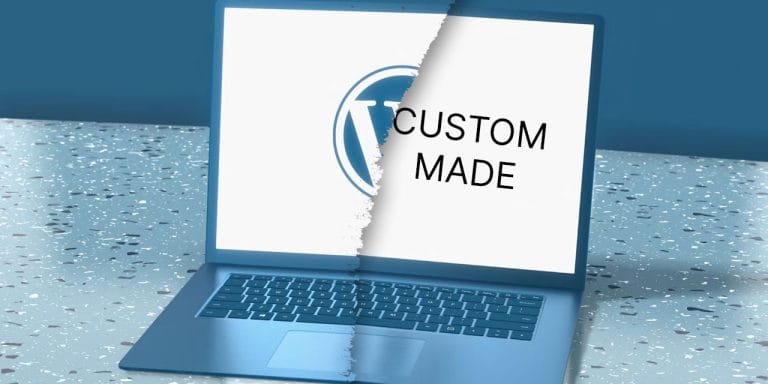
                      wordpress vs custom html for small business

                      WordPress vs Custom HTML? Which Is Best for Your Business?

                      If you’re building a website for a small business, one of the first decisions you’ll face is whether to use WordPress or go with a custom HTML website.

                      It’s a common question, and the answer isn’t always straightforward. Both options have their strengths, but the right choice depends on your goals, budget, and how you plan to use your website long term.

                      In this guide, we break down the key differences to help you choose the best approach for your small business website.

                      What Is WordPress?

                      WordPress is a content management system (CMS) that allows you to build and manage a website without needing to code everything from scratch.

                      It powers over 40% of websites globally, largely because it’s flexible, scalable, and relatively easy to use.

                      Benefits of WordPress for Small Business:

                      • Cost-effective: Faster to build, which reduces upfront costs
                      • Easy to update: You can edit content, add blogs, and upload images yourself
                      • SEO-friendly: Built-in tools and plugins help optimise your site
                      • Scalable: Add new pages, features or functionality as your business grows
                      • Plugin ecosystem: Access to thousands of tools (forms, bookings, ecommerce, etc.)

                      For most businesses looking at website design for small business, WordPress is often the go-to solution.

                      What Is a Custom HTML Website?

                      A custom HTML website is built from the ground up using code. Every element is designed and developed specifically for your business without relying on pre-built themes or systems.

                      HTML code (source: Pexels)

                      Benefits of Custom HTML Websites:

                      • Fully customised design: No limitations from themes or templates
                      • High performance: Typically faster loading when built well
                      • Greater control: Developers can fine-tune every detail
                      • Enhanced security: Fewer third-party plugins reduce vulnerabilities

                      Custom builds are often chosen for highly specialised projects or businesses with very specific requirements.

                      Key Differences: WordPress vs Custom HTML

                      Ease of Use

                        If you want to manage your own content, WordPress is far more user-friendly. You don’t need technical knowledge to update text or publish blog posts.

                        With a custom HTML website, even small changes usually require a developer.

                        Cost and Development Time

                          For most small business website design projects:

                          • WordPress = lower cost, faster turnaround
                          • Custom HTML = higher cost, longer build time

                          If budget is a key consideration, WordPress is typically the more practical option.

                          SEO Capabilities

                            Both options can perform well in search engines; but WordPress has a clear advantage for most users.

                            It makes it easier to implement:

                            • Meta tags
                            • Keyword optimisation
                            • Blog content
                            • Internal linking

                            This is especially important when you’re focused on building a website for small business that needs to generate organic traffic.

                            Flexibility and Scalability

                              WordPress allows you to easily expand your website as your business grows — whether that’s adding new services, landing pages or blog content.

                              Custom HTML sites can also scale, but typically require more development work to do so.

                              Maintenance and Updates

                              WordPress requires:

                                • Plugin updates
                                • Security monitoring
                                • Ongoing maintenance

                                Custom HTML sites require less frequent updates but may need a developer for any changes.

                                Which Option Is Best for Your Business?

                                For most small businesses, WordPress is the better choice. It offers the right balance of:

                                • Affordability
                                • Flexibility
                                • Ease of use
                                • SEO performance

                                However, a custom HTML website may be the right fit if:

                                • You need highly specialised functionality
                                • You want complete design freedom
                                • Performance at a very high level is critical
                                • You have ongoing developer support

                                Final Thoughts?

                                Choosing between WordPress and custom HTML comes down to how you plan to use your website.

                                If your goal is to create a small business website that you can update, grow and optimise over time, WordPress is usually the smartest investment.

                                If you require something highly tailored and have the budget to support it, a custom build may be worth considering.

                                Either way, the most important thing is ensuring your website is built with strategy in mind, not just design.

                                Of course, we’re more than happy to have a chat and discuss what would suit your website needs most. Contact Us and drop us a message.

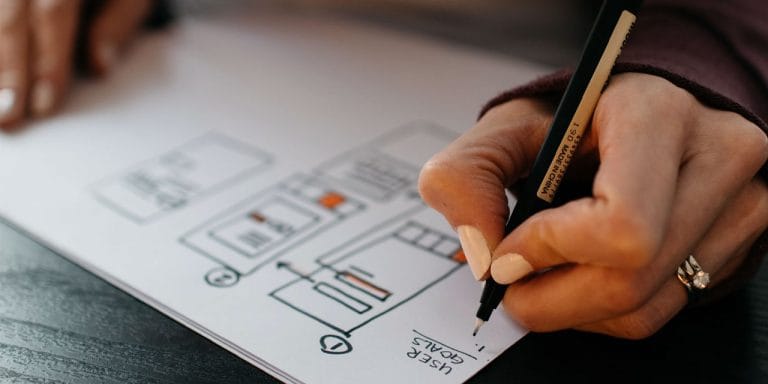
                                Multi-coloured website designs, hand drawn.

                                What Small Businesses Need to Know Before Building a Website

                                For many small businesses, building a website feels like something you simply “have to do”. You know you need one; but beyond that it can be hard to know where to start.

                                The reality is, a website isn’t just an online brochure. Done properly, it’s a sales tool, a credibility builder, and often your most important marketing asset. It literally legitimises you as a credible business to a potential customer.

                                Before you invest time and money into building one, here are the key things we believe every small business owner should understand.

                                1. Be Clear on What You Want Your Website to Do

                                Before design, before colours, before logos, ask this:

                                What is the purpose of this website?

                                Are you trying to:

                                • Generate leads?
                                • Sell products online?
                                • Book appointments?
                                • Showcase past work?
                                • Build brand awareness?

                                If you’re not clear on your goal, your website won’t be either. Every page, section and call-to-action should support a defined objective. A website without direction often ends up looking nice but not converting. And converting is what most businesses are all about.

                                2. Your Website Is About Your Customer (Not You)

                                One of the most common mistakes small businesses make is building a website that talks too much about themselves.

                                Your visitors are asking:

                                • Can you solve my problem?
                                • Why should I trust you?
                                • What do I do next?

                                Your website should clearly explain:

                                • Who you help
                                • What problem you solve
                                • How you solve it
                                • Why you’re different

                                Clear messaging beats clever wording every time. It’s all about communication.

                                3. Structure Matters More Than Most People Realise

                                A well-structured website helps visitors quickly find what they need. At minimum, most small businesses need:

                                • Home
                                • About
                                • Services
                                • Contact
                                • Privacy Policy

                                Depending on your industry, you may also need:

                                • Blog/News** (see below)
                                • Portfolio / Case Studies
                                • FAQs
                                • Booking or ecommerce functionality

                                Good structure improves user experience; and it also helps with search engine optimisation (SEO – super important).

                                ** A good Blog/News section literally makes you a content publisher, meaning you can tell the world about all the good things your business can do. The more you deliver on-brand, well written, in-demand content through your website, the more you’ll be rewarded with organic reach through Google. That’s Content Marketing 101 and done right, small businesses can compete with the big boys at a content level.

                                That's right. Anyone can be building a website these days, across all sorts of formats.

                                4. Mobile Isn’t Optional

                                More than half of website traffic now comes from mobile devices. If your site doesn’t load properly or look clean on a phone, you’re losing business.

                                A modern website must:

                                • Be fully responsive
                                • Load quickly
                                • Have clickable buttons that are easy to tap
                                • Avoid cluttered layouts

                                Google also prioritises mobile-friendly websites in search rankings, so this affects visibility as well as usability. It’s hard to believe but we still come across websites that look “okay” on a computer, but TERRIBLE on a mobile phone or device.

                                This article by Forbes explains the important of a “mobile first” strategy.

                                5. Speed and Performance Directly Impact Conversions

                                If your website takes too long to load, visitors leave. It’s that simple.

                                Optimised images, clean code, reliable hosting and smart design decisions all contribute to performance. A slow website doesn’t just frustrate users; it costs you enquiries and sales.

                                6. SEO Should Be Built In (Not Bolted On Later)

                                Search engine optimisation isn’t something you “add later.” It should be part of the build process from the beginning.

                                This includes:

                                • Proper heading structure
                                • Keyword-optimised content
                                • Meta titles and descriptions
                                • Clean URLs (links)
                                • Technical optimisation

                                A well-built website gives your business the best chance of being found when potential customers search for your services.

                                7. Security and Maintenance Are Ongoing Responsibilities

                                A website isn’t a one-time project. It’s a living digital asset.

                                You’ll need:

                                • Regular updates (we can help)
                                • Security monitoring (we can help)
                                • Backups (we can help)
                                • Plugin and platform maintenance (we can help)

                                Without maintenance, websites become vulnerable, slow and outdated.

                                8. Your Website Is an Investment (Not an Expense)

                                Cheap websites often cost more in the long run. Poor design, lack of strategy, and no SEO planning can result in a site that looks fine but produces little return.

                                A professionally planned and built website should:

                                • Strengthen your credibility
                                • Improve visibility
                                • Generate consistent enquiries
                                • Support long-term growth

                                When done properly, it becomes one of the highest-ROI marketing assets your business can own.

                                Final Thoughts on Building a Website

                                Building a website is a major step for any small business. The difference between a site that simply exists and one that actively generates leads comes down to planning, structure, and strategy.

                                Before you begin, take the time to define your goals, understand your audience, and approach your website as a business tool (not just a design project).

                                If you’d like guidance on building a website that actually supports growth, the team at CJI Tech Solutions can help you plan, design and launch a site that works as hard as you do.