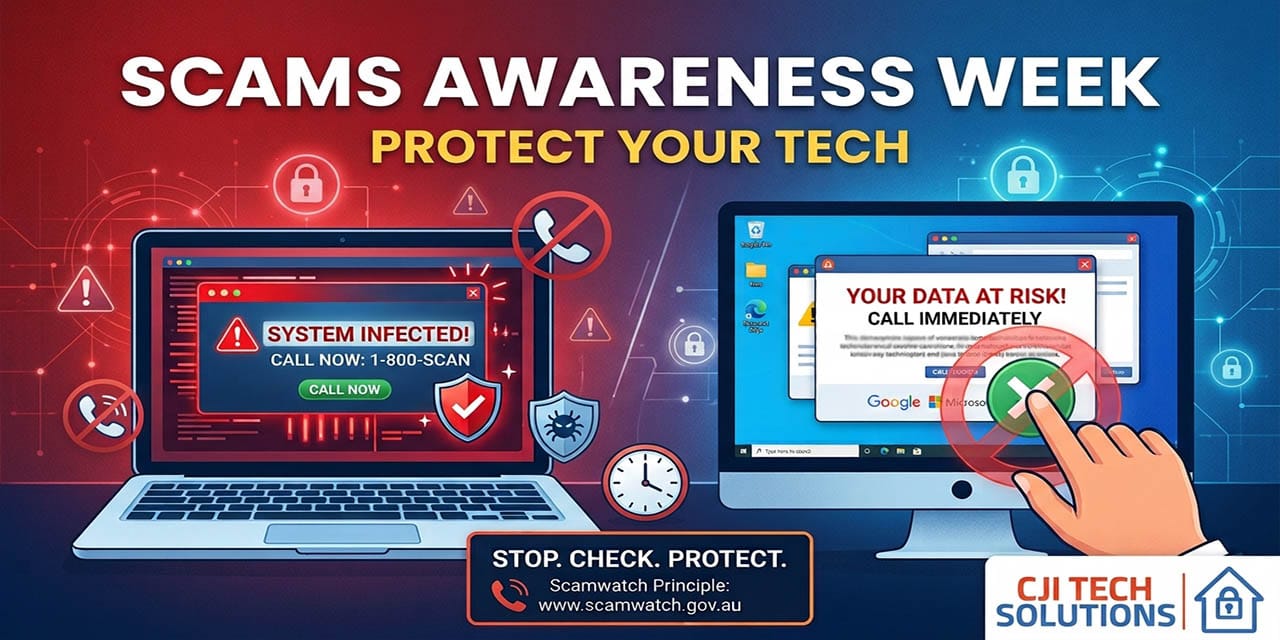

This week (24 to 28 August) marks Scams Awareness Week, an annual national campaign run by Scamwatch and the National Anti-Scam Centre. It brings together government, businesses, and communities to help Australians recognise, avoid, and report scams. One of the most frequent issues my clients face is sudden screen takeover scams. More specifically, these can be in the form of fake pop-up scams, system notifications, and alerts on laptops, PCs, and Macs claiming a computer is infected.
This year’s theme for Scams Awareness Week is “no one’s just a number” and reminds us that behind every scam statistic is a real person, whether it’s a client, family member, or friend whose trust and peace of mind have been targeted. Scams can happen to anyone, and falling for a sophisticated trick is never a reflection of your character or intelligence.
The Anatomy of Pop-Up Scams
You are browsing the web normally when, suddenly, your screen locks up. A flashing red banner appears, a loud warning tone sounds, or a window pops up with official-looking logos claiming your system has been compromised. The message urges you to call a toll-free number immediately to fix the issue.
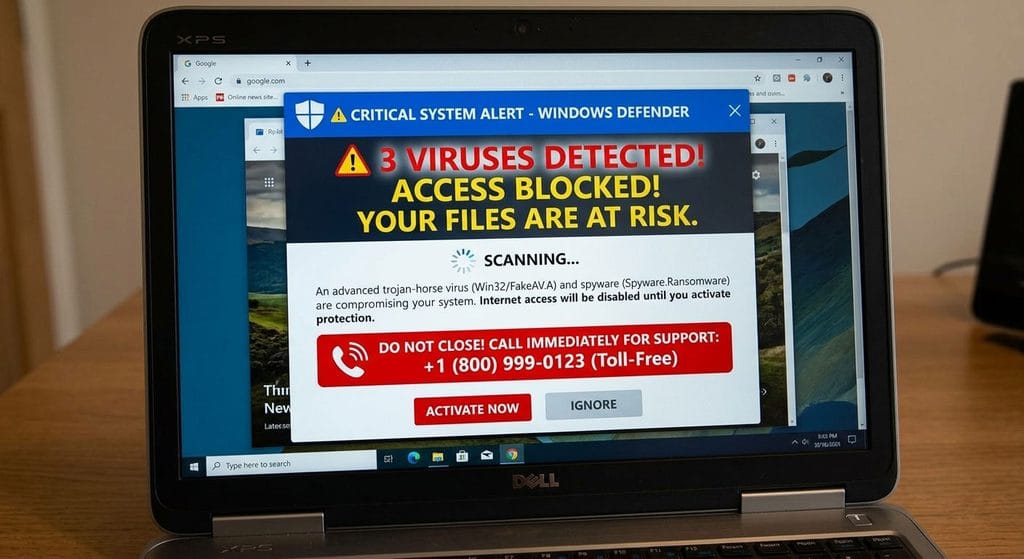
Here is the reality: Your computer is almost certainly NOT infected.
This is a classic browser hijack designed to trick you through fear and urgency. The scammers behind these pop-ups want you to panic and make a frantic phone call. If you call that number, a fake technician will ask for remote access to your device, charge you hundreds of dollars for “repairing” non-existent issues, or attempt to harvest your private financial details.
Stop. Check. Protect.
To help stay protected, align with the core principles championed by Scamwatch:
- STOP: Do not panic. Do not click any buttons inside the pop-up, do not click provided links, and definitely do not call the phone number listed on the screen.
- CHECK: Ask yourself if a legitimate company like Microsoft, Apple, or Google would ever display a phone number on a popup asking you to call them. (Spoiler: They won’t.)
- PROTECT: Take control back by safely closing your browser and taking simple steps to safeguard your device. Report scams to your bank, cyber.gov.au and Scamwatch.
How to Fix Stuck Tech Support Pop-Up Scams
If one of these terrifying alerts locks up your screen, do not panic. It can easily be dismissed without paying a cent or downloading unnecessary software:
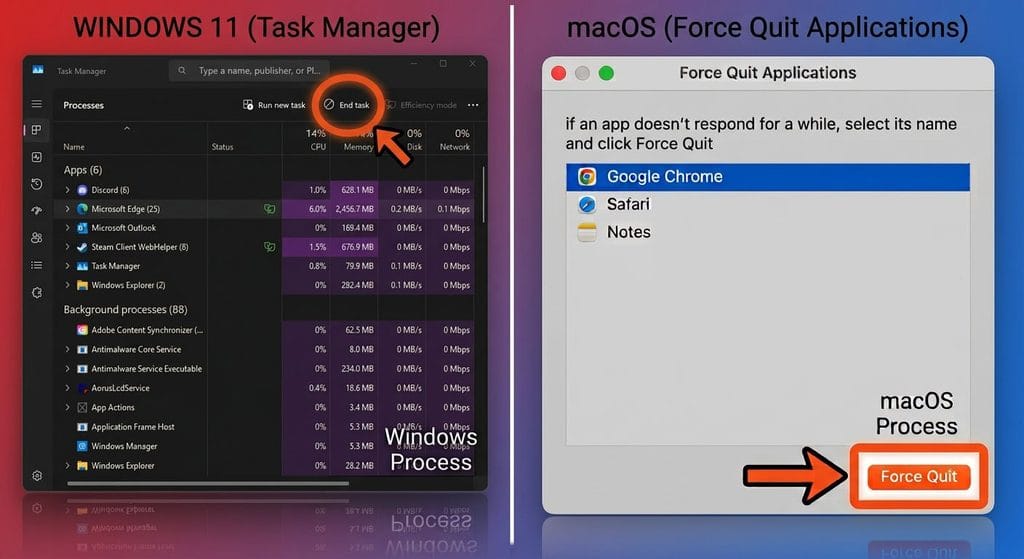
1. Force Close Your Browser
- On Windows: Press
Ctrl + Shift + Escto open the Task Manager. Select your web browser (Chrome, Edge, Firefox) from the list and click End Task. - On Mac: Press
Command + Option + Escto bring up the Force Quit menu. Select your browser and click Force Quit.
2. Reopen Your Browser Without Restoring Pages
When you launch your browser again, it may ask if you want to restore your previous session. Click No or Close. If you restore the session, the scam pop-up will just reload on your screen.
3. Clear Your Browsing Cache
Go into your browser settings and clear your browsing history and web cache. This removes any lingering scripts that might trigger the pop-up again.
Simple Steps to Stay Safe Online
Building strong cybersecurity habits starts with slowing down. To dive deeper into spotting red flags and securing your personal digital space, watch my video guide on How to Combat Phishing Attacks, where I break down some real-world examples and practical defences.
Here is a quick checklist to keep top-of-mind:
- Pause before you click: Scammers rely heavily on creating fake urgency whether it’s an expiring password, a suspended account, or a fake virus warning. Take a moment to think before clicking any link or downloading a file from an unfamiliar site.
- Never call numbers from pop-ups: Legitimate companies will never display a phone number in a web alert demanding immediate action.
- Verify web addresses: Hover over links before clicking to check that the URL actually points to the real domain (eg. look out for typos like
micros0ft.comor odd domain extensions). - Keep software updated: Regularly update your operating system and web browser so you have the latest security patches installed.
Help Protect Your Friends and Family
Is your computer not running as well as it used to, or have you noticed any strange messages or popups on the screen when browsing? Get in touch with CJI Tech Solutions today for a complete security checkup to stay one step ahead of online scams. Scammers rely on panic, but awareness is our best defence. Share this post with a friend, family member, or colleague who might need a reminder to Stop. Check. Protect.